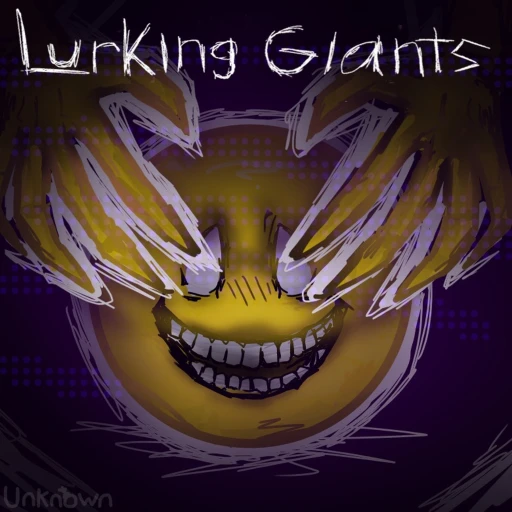
Mastering Lurking Giants Controls and Survival Strategies: The Ultimate Guide
Learn the essential Lurking Giants controls, map strategies, and expert tips to survive as a human or dominate the lobby as a giant.
Surviving the shadows in Roblox's hit horror game requires more than just luck; it demands a deep understanding of the Lurking Giants controls and map layouts. Whether you are playing as a stealthy survivor trying to evade massive monsters or stepping into the shoes of a giant yourself, mastering the Lurking Giants controls will make the difference between a swift victory and an early grave. In this guide, we will break down the essential mechanics, map-specific strategies, and community-tested tips to help you rack up hundreds of wins.
To start playing and test your skills, you can access the game directly on the official Roblox platform. Once you load in, understanding the layout of your keyboard or screen is your very first line of defense.
Complete Guide to Lurking Giants Controls
Before diving into deep stealth strategies, you must familiarize yourself with the Lurking Giants controls for both survivors and giants. The game features asymmetrical gameplay, meaning the inputs and objectives change entirely depending on your assigned role.
For survivors, movement must be precise. A single misstep can expose your position to a patrolling giant. Below is a breakdown of the standard control scheme for survivors on both PC and mobile platforms.
Survivor Controls Layout
| Action | PC Keybind | Mobile Input | Strategic Use |
|---|---|---|---|
| Movement | W, A, S, D | On-screen Joystick | Navigating terrain and staying behind cover. |
| Camera Look | Mouse Movement | Dragging the Screen | Scanning the horizon for approaching giants. |
| Toggle Light | F or Click Item | Tap Light Icon | Illuminating dark areas (use sparingly). |
| Crouch / Stealth | C / Left Ctrl | Tap Crouch Button | Reducing your profile to hide behind low walls. |
| Sprint | Left Shift | Tap Sprint Button | Escaping when spotted (drains stamina). |
For those playing as the giant, your objective is to hunt down every survivor before the timer runs out. Giants are massive, loud, and have a restricted field of view, but they possess raw power and special mechanics. Understanding how the Lurking Giants controls function on mobile compared to PC will help you execute clean sweeps of the map.
Giant Controls Layout
| Action | PC Keybind | Mobile Input | Strategic Use |
|---|---|---|---|
| Movement | W, A, S, D | On-screen Joystick | Patrolling high-traffic areas and choke points. |
| Attack / Grab | Left Click (Spam) | Tap Attack Button | Eliminating survivors in your immediate vicinity. |
| Activate Ability | E / Q | Tap Ability Button | Utilizing unique giant perks to locate players. |
| Camera Zoom | Scroll Wheel | Pinch Screen | Spotting distant targets or checking hilltops. |
Critical Survivor Strategies: How to Stay Alive
Knowing the controls is only the foundation. To consistently win rounds, survivors must understand the game's hidden mechanics and avoid common pitfalls. Player reports suggest that the majority of survivor deaths occur due to simple positioning errors rather than mechanical failures.
The Hourly Highlight Mechanic
One of the most important rules of the game revolves around the in-game clock. Every time the clock strikes a new hour (such as 2:00, 3:00, and so on), the giant receives a temporary highlight showing the location of every survivor on the map.
If you remain in the same spot when the hour changes, you are essentially giving the giant a free kill. You must change your hiding spot every hour. Use the transition period just before the hour strikes to relocate to a new, unchecked area.
The Flashlight and Lantern Trap
Having a light source is comforting in the dark, but it is also a beacon for the giant. Even if you are safely tucked behind a thick tree trunk, holding out your flashlight or lantern will project a glow that giants can spot from across the map. Keep your light sources turned off unless absolutely necessary, and never hold them out while hiding.
Why Bushes are Death Traps
It is a common instinct in survival games to dive into the nearest bush. However, in this game, hiding in bushes is one of the worst mistakes you can make.
Experienced players note that giants often sweep through shrubbery blindly, easily catching multiple players who assume they are hidden. Bushes offer visual concealment but zero physical protection. If a giant walks through your bush, you will be eliminated instantly.
Character Customization and Cosmetics
Your choice of avatar clothing matters. Wearing bright, neon, or reflective colors makes you stand out against the dark, earthy tones of the maps. Opt for dark green, brown, or black clothing to blend in naturally with the environment.
High-Risk Hiding Spots to Avoid on Every Map
Every map in the game has specific locations that players flock to. Consequently, these are the exact locations that experienced giants check first. If you want to increase your survival rate, cross these high-risk areas off your list.
| Map | High-Risk Location | Why You Should Avoid It |
|---|---|---|
| Towers | Convenience Store | Extremely confined space with limited exit routes; a death trap if the giant enters. |
| Towers | Parking Lot Bushes | High-traffic patrol route; giants routinely sweep these bushes for easy kills. |
| Caves | The Two Central Hills | Highly visible from multiple angles; giants check these hills constantly. |
| Campsite | The Storage Shed | A common bait location that giants check immediately at the start of a round. |
Instead of hiding in these obvious landmarks, look for unremarkable corners, minor rock formations, or low depressions in the ground that do not draw immediate attention.
How to Dominate as a Giant
Playing as the giant requires a different mindset. Instead of hiding, you must think like a hunter. If you are struggling to secure kills, adjusting your approach and utilizing the Lurking Giants controls to spam your attack command can yield better results.
Spam the Attack Button
When closing in on a survivor, do not wait for a perfect visual confirmation. On PC, spamming your left-click attack button as you navigate tight spaces, bushes, and corners ensures that you grab any hidden players instantly. Mobile players should continuously tap the attack icon when patrolling high-density zones.
Maximize the Hourly Highlight
When the clock rolls over and highlights the survivors, do not just chase the closest target. Look for clusters of players. Heading toward groups allows you to eliminate multiple survivors in quick succession, saving the isolated, harder-to-find players for the end of the round.
Choose the Right Giant for the Map
Not all giants perform equally on every map. Selecting a giant whose abilities complement the terrain will give you a massive advantage.
| Map | Recommended Giant | Strategic Advantage |
|---|---|---|
| Campsite | Guilt | Excellent mobility for navigating around tents and trees. |
| Caves | Locust | Superior navigation in tight, enclosed cavern passages. |
| Towers | Locust | High visibility and speed to patrol open streets and parking lots. |
Advanced Survival Tactics and Movement
When you find yourself cornered, your mastery of the Lurking Giants controls will be put to the test. If a giant approaches your location, your immediate reaction dictates whether you survive.
The Hill Survival Strategy
If you are hiding on a hill by yourself and a giant approaches, your natural instinct might be to panic and run down the slope. Doing so usually puts you directly in the giant's line of sight, leading to a swift death.
Instead, stay on the hill and move dynamically to keep the central peak or rocks between you and the giant. By staying out of their direct line of sight, you can often let them pass right by you.
However, this tactic changes if there are multiple players on the same hill. If the giant begins attacking another player, use that distraction as your cue to run off the hill and find a new hiding spot.
Camera Manipulation
You can extend your field of view by adjusting your camera settings in tandem with the Lurking Giants controls. Keep your camera angled slightly upward to spot the towering silhouettes of incoming giants before they get close enough to detect you.
Frequently Asked Questions
Can I customize the Lurking Giants controls on my device?
Currently, the game utilizes standard Roblox keybinds for PC and default touch layouts for mobile devices. While you cannot fully remap individual keys within the game menu, you can adjust your camera sensitivity and graphics settings to make controlling your character smoother.
What is the hourly highlight, and how do I counter it?
The hourly highlight is a game mechanic that reveals all survivor locations to the giant at the start of every in-game hour. To counter this, you should never stay in the same spot for more than one hour. Begin moving to a new location just before the clock strikes the next hour.
Why do I keep getting caught when hiding in bushes?
Bushes do not block the giant's physical model or collision. Because hiding in bushes is a common beginner tactic, experienced giants will walk through them while spamming their attack button, resulting in easy kills. It is much safer to hide behind solid structures like rocks or walls.
Which giant is best for the Caves map?
Locust is widely considered the best choice for the Caves map. Locust's build and movement mechanics make navigating the tight, winding paths of the cavern system much easier compared to other giants.
Related Guides
Lurking Giants How to Run: The Ultimate Survival Guide
Learn how to evade giants, navigate maps, and master survival strategies in Lurking Giants with our comprehensive gameplay guide.
Lurking Giants how to survive: Essential Tips and Stealth Tactics
Master the art of evasion in Lurking Giants. Learn how to hide, use the environment, and outlast the monster to survive until 6:00 a.m.
Lurking Giants how to win: A Complete Survival Strategy Guide
Learn how to survive until 6:00 AM in Lurking Giants. Discover top hiding spots, giant escape tactics, and movement controls to win.
Mastering Lurking Giants Keybinds: Ultimate Controls and Survival Guide
Discover the best Lurking Giants keybinds, map strategies, and killer tips to survive every round and boost your win rate.